

Agilemania
Agilemania, a small group of passionate Lean-Agile-DevOps consultants and trainers, is the most tru... Read more
Agilemania
Agilemania, a small group of passionate Lean-Agile-DevOps consultants and trainers, is the most tru... Read more

You have applied for 20+ jobs. You checked your inbox again and again. Nothing happens.
For many job seekers, this is the reality, and in 2026, having a resume is not enough. It has to do with how effectively your LinkedIn profile represents you.
Over 95% of recruiters use LinkedIn to search for candidates. Most of them do not “post and wait.” They actively search using keywords, skills, and filters. If your profile is not optimized, you simply do not appear in their search results.
Recruiters spend less than 10 seconds scanning a profile before deciding whether to continue or move on. That means:
Your headline must speak clearly.
Your summary must show value.
Your experience must prove impact.
Your skills must match what employers look for.
In 2026, LinkedIn is no longer a digital resume. It is a search engine. And if your profile is not structured properly, the algorithm does not push you forward.
The good news? Optimizing your LinkedIn profile is not complicated. It is systematic.
In this step-by-step guide, you will learn:
What is LinkedIn profile optimization?
Why does LinkedIn profile optimization matter?
Best linkedin profile Optimization tips
How to turn profile visitors into interview calls
If you want your LinkedIn profile to generate opportunities instead of just existing online, this blog will show you exactly how to do it.
LinkedIn profile optimization refers to structuring and improving LinkedIn profile so that it appears in recruiter searches and clearly demonstrates your value. It's not about decorating your profile. It is about making it searchable, readable, credible, and relevant to your career goals.
Think of LinkedIn as a search engine, not just a digital CV. Recruiters type job titles, skills, tools, and locations into the search bar. LinkedIn then shows profiles that best match those terms. If your profile is incomplete or lacks the right keywords, you won't show up in results, even if you're qualified.
At the same time, visibility alone is not enough. When someone clicks your profile, it should tell a clear and consistent story about:
Who you are
What you do
What role you are targeting
What results you have delivered
An optimized LinkedIn profile balances three crucial components.
Search visibility: To help recruiters find you, use relevant keywords in your headline, summary, and experience.
Credibility: Showing quantifiable outcomes, accomplishments, and numbers that demonstrate your influence.
Clarity and consistency: Making your profile complete, easy to scan in 5–10 seconds, and aligned with your current professional goals.
The information on your LinkedIn profile is dynamic. It ought to change as your career develops. Your professional presence will grow stronger, and your chances of converting profile views into interview calls will increase the more deliberately you optimize it.
This process involves transforming your LinkedIn profile into a strategic job search tool that is both visible and compelling.
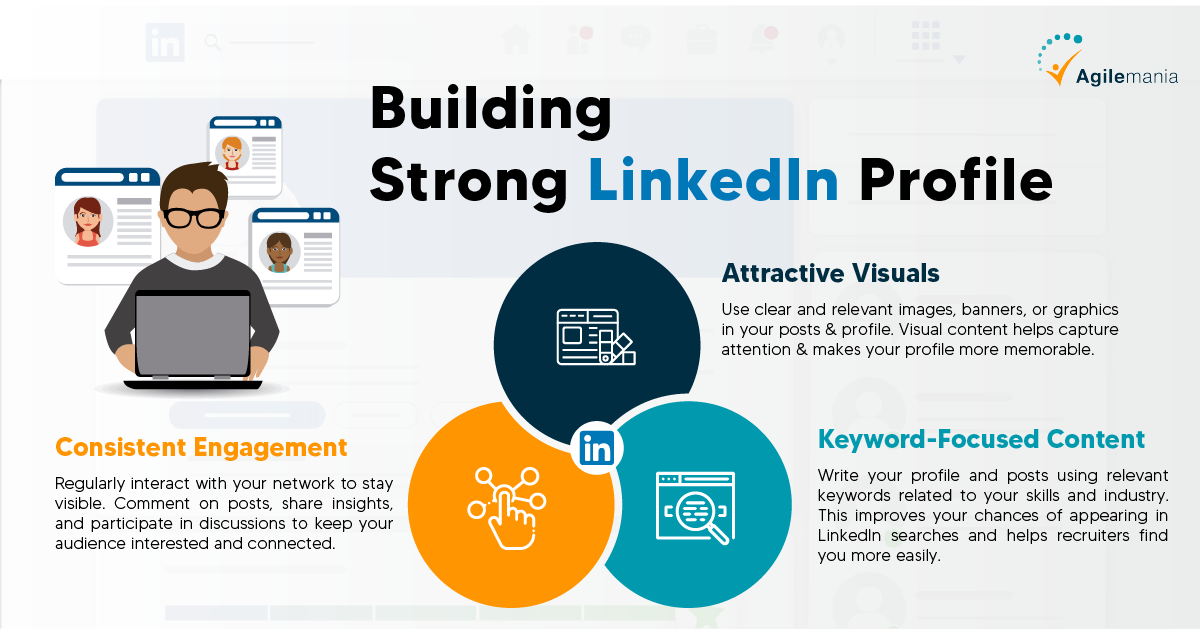
This part will show LinkedIn profile optimization tips and how to make your LinkedIn profile better in real life. Trust me, it's very simple to do. If you follow these steps, your profile will look more professional, show off your strengths, and get the right kind of attention online.

Your profile photo is the first thing people see. Before they read your headline or experience, they notice your face. That first impression determines whether someone clicks on your profile or moves on.
Choose a clear, high-quality image that shows your face clearly and well-lit. A simple background performs better than a distracting one. Dress in a way that represents your industry.
Someone in corporate finance, for example, may wear formal attire, whereas someone in design or media may dress smart casually. The goal is to appear confident and approachable, rather than overly posed.
Don't take group photos, heavily edited pictures, cropped event pictures, or casual selfies. Your profile picture should make you look professional and trustworthy. A good picture doesn't guarantee chances, but a bad one can limit them.
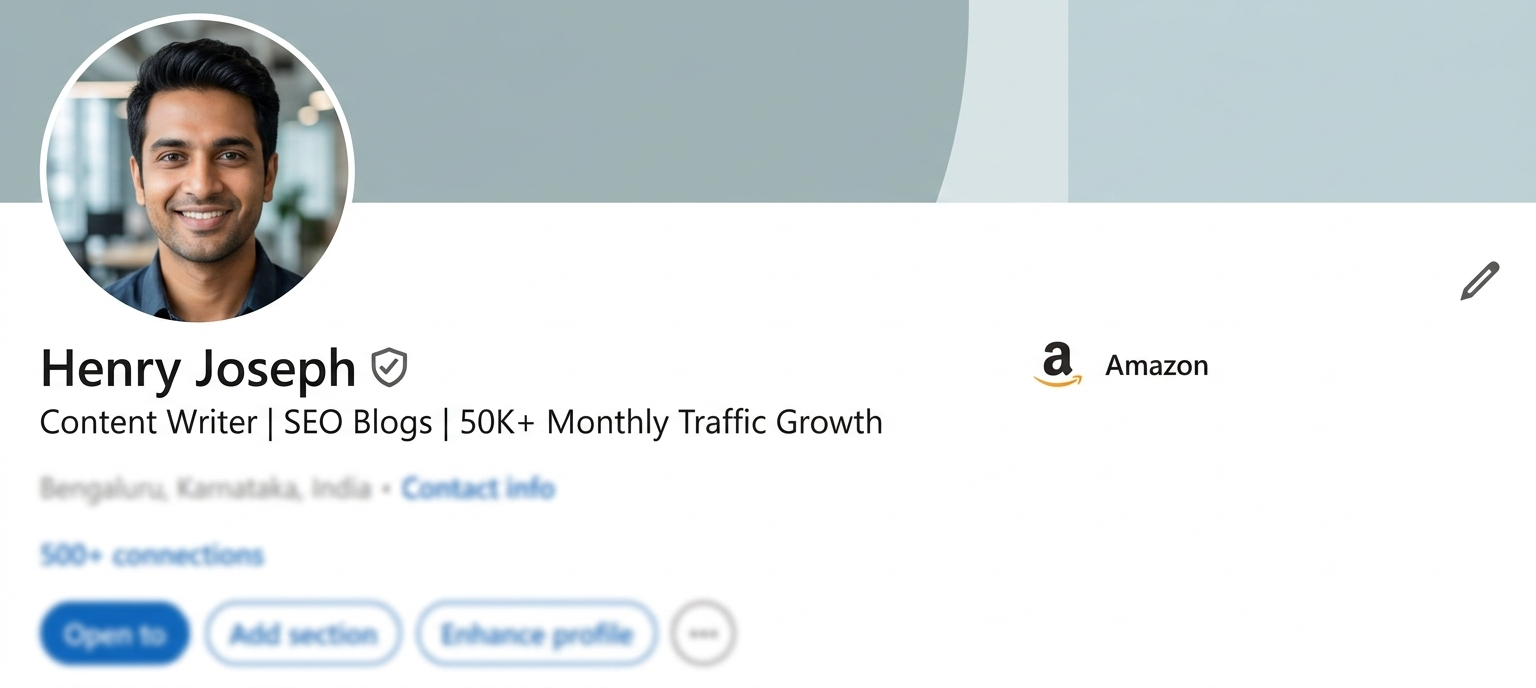
One of the most important parts of your LinkedIn profile is your headline. It shows up in comments, search results, and connection requests, right below your name. This one line is often what recruiters use to decide whether or not to look at your profile.
Don't just use your job title. A headline like "Software Developer" or "Marketing Executive" is too broad. Instead, make it specific and based on value. Talk about your job, your most important skills, and the results you get. This approach makes things clearer and easier to find.
You could write "Content Writer | SEO Blogs | 50K+ Monthly Traffic Growth" instead of just "Content Writer." The second version shows off your proficiency and the measurable results of your efforts.
Make sure your headline matches the job you want. If you're looking for a new job, write it from the point of view of where you want to go, not just where you are now. A good headline makes it more likely that recruiters will find your profile and click on it.
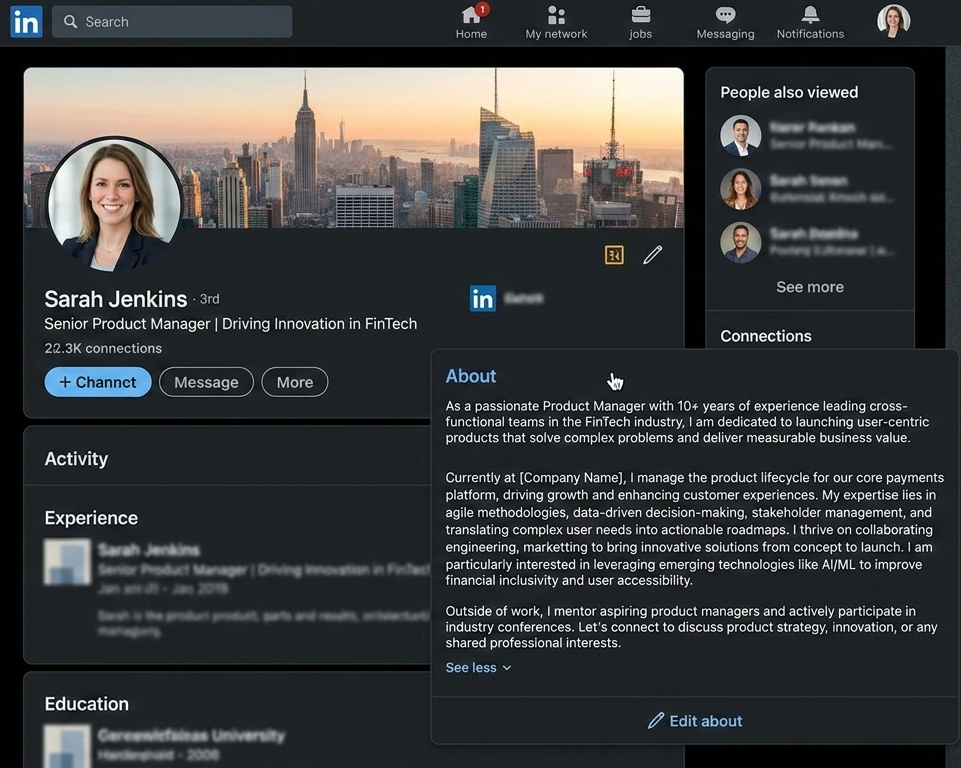
This is where your profile becomes personal: the "About" section. This is not a duplicate of your resume. This is where you talk about who you are, what motivates you, and the kind of change you want to make.
Use the first person. It sounds more friendly and natural. Instead of listing job titles and duties, talk about what drives you and the problems you like to solve. People should not only know what you do when they read this part but also why you do it.
Avoid turning this space into a list of achievements. Instead, connect your experience to outcomes. Show how your work made a difference. A clear, human voice builds trust faster than formal language.
If you're not sure, have a coworker or mentor look it over. Sometimes other people can see your strengths better than you can.
This is a simple example:
I help companies make content that is simple and interesting out of complicated ideas. In the last four years, I've worked with startups and training companies to make blogs, guides, and other learning materials that get more people to visit and keep them interested.
What pushes me is clarity. I like to simplify complicated or technical topics without losing their depth. My goal is always the same: to make content that teaches, builds trust, and gets results that I can see.
I'm currently looking for jobs where I can help a business grow by using research, strategy, and storytelling.
Make sure to finish it off with a gentle call to action:
Open to conversations
Happy to connect
DM for collaboration
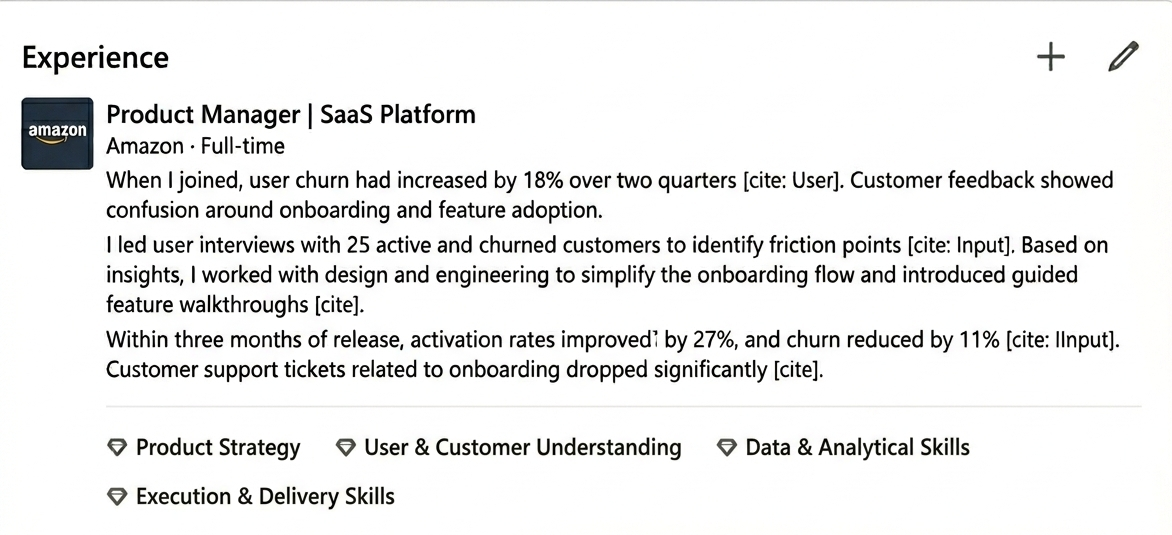
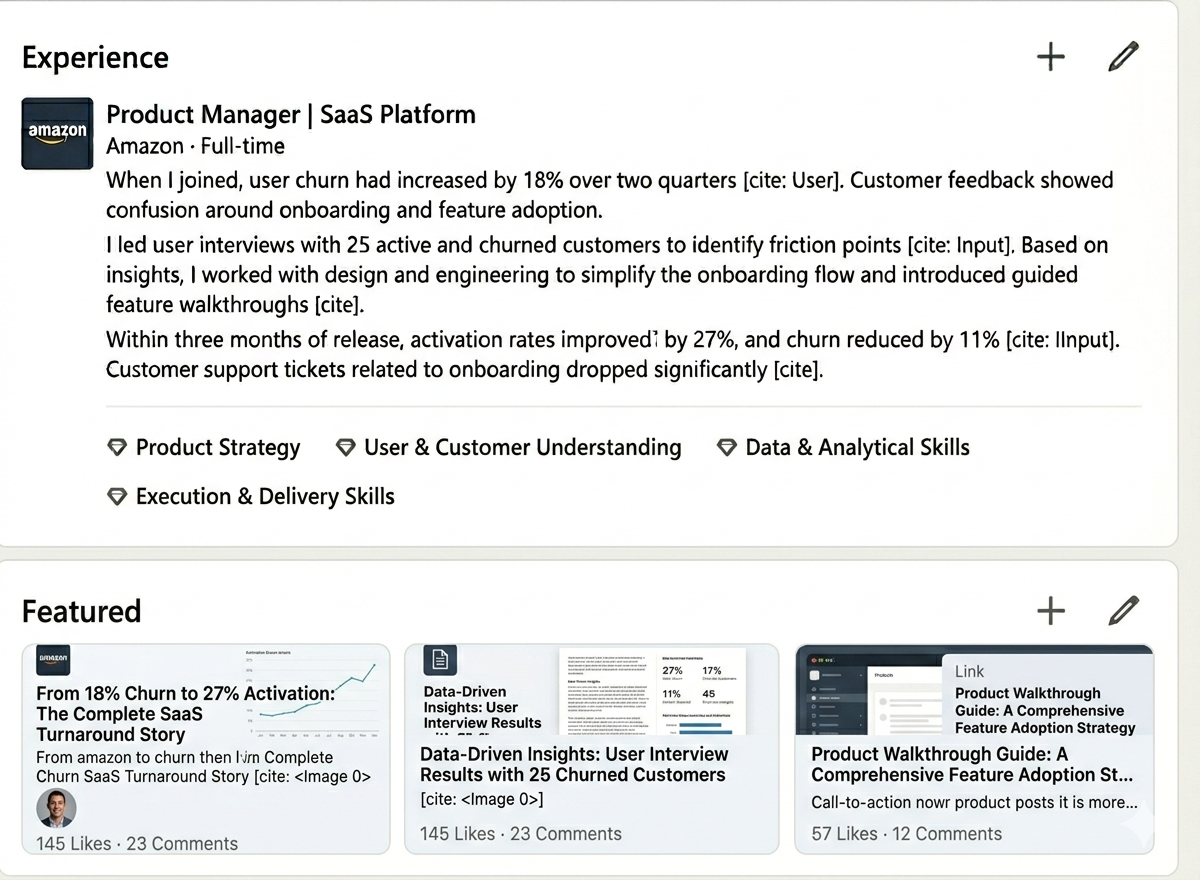
Many people simply copy and paste their job description into the experience section. That approach does not help you stand out. Instead, treat each role like a short case study.
For every position, explain three things clearly: what the challenge was, what you worked on, and what changed because of your work.
This structure shows how you think and how you solve problems. It shifts the focus from tasks to impact. Even if you do not have strong numbers to share, describing your approach and the outcome builds credibility.
It also helps LinkedIn better understand your actual skills, which improves your visibility in relevant searches. For example,
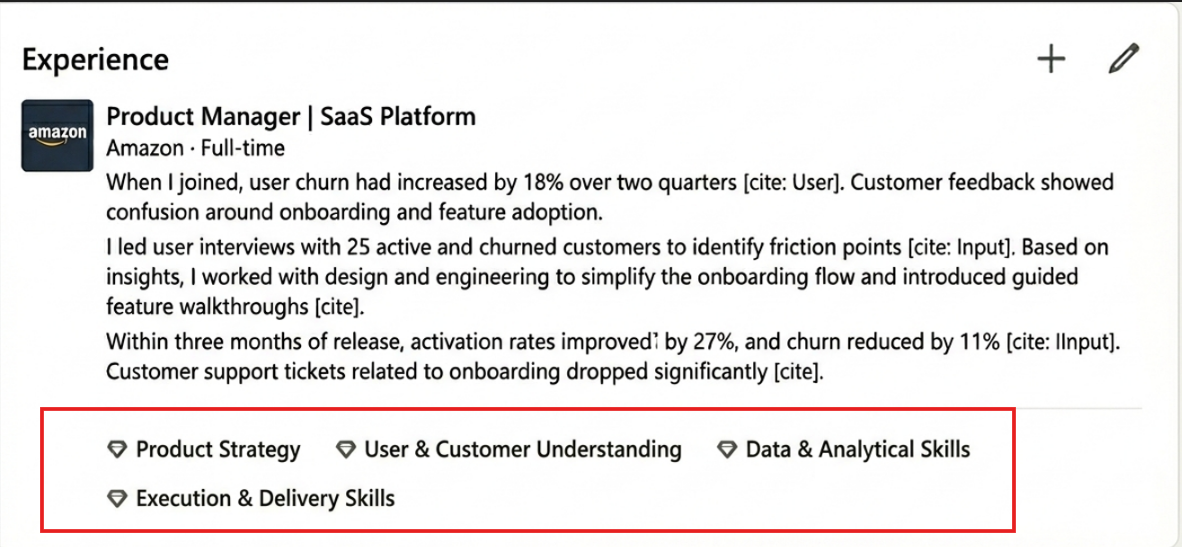
Skills
Only list the skills you actually use and can talk about with confidence. A long list doesn't make you stronger. A focused list helps you understand better.
Having the right skills will help you show up in recruiter searches. They also make it more likely that you will get endorsements and help LinkedIn better understand your skills. Your profile will show up more often in search results if your skills match the job you want.
Featured Section
People often ignore this part, but it is strong. It lets you show real proof of what you've done.
Use it to show off strong posts, articles, presentations, product launches, dashboards, case studies, or links to other portfolios. You are not just saying you are an expert; you are showing it.
Think of the Featured section as validation. It turns statements about your abilities into visible proof.
Many people only care about the content and not the settings. But a few small changes and LinkedIn networking strategy can make you more visible without making a big deal out of it.
Check to see if your profile is public first. Set your profile to public so that recruiters and hiring managers can easily see it, even if they aren't in your network.
Next, turn on the broadcasts of activities. This lets your network see important changes, like new achievements or changes in roles, which makes your profile more visible.
Set up the "Open to Work" or "Open to Providing Services" section correctly if you are actively looking for work. Be clear about your roles, where you work, and how you like to work.
Last but not least, make sure your job and location preferences are correct. Recruiters often narrow down their choices based on where the candidates live and when they are available.
These settings may seem minor, but they directly influence how often and where your profile appears in search results.
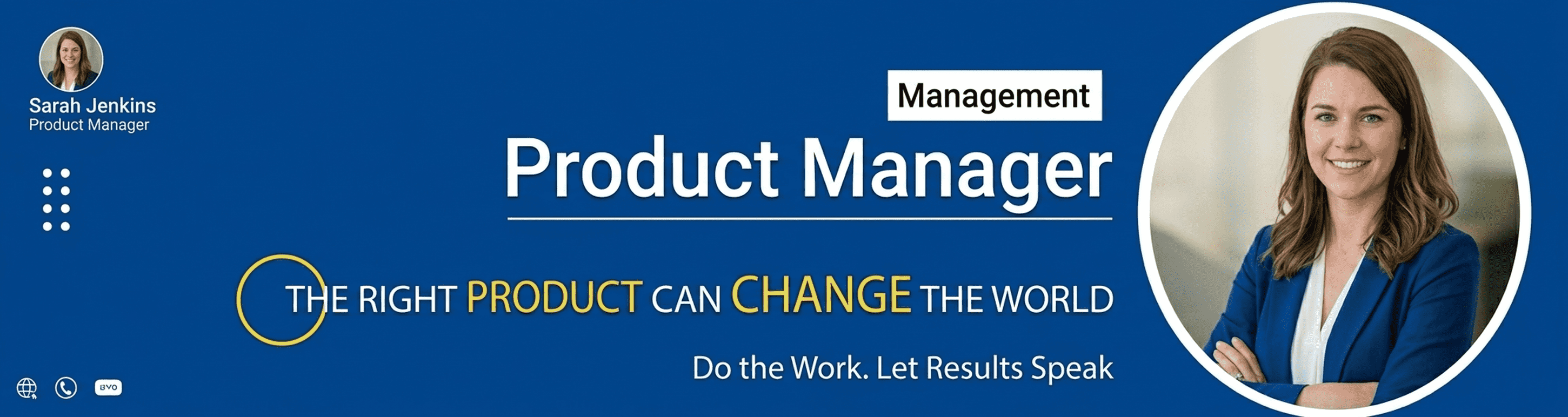
Your banner is more than decoration. It is your visual positioning statement. After your profile photo, it is one of the first things people notice.
Instead of leaving it blank or using a random image, use it strategically. A strong banner should quickly communicate what you do, who you help, and the value you bring. It can include a simple tagline, industry-related visuals, or brand colors that reflect your professional identity.
When used well, your banner acts as a visual signal. It helps visitors understand your focus even before they start reading your profile.
Get the best Linkedin Banner Ideas to update your linkedin profile for better job search & growth.
Creator Mode is not limited to those with a large following. It benefits any professional who wants to increase their visibility and reach on LinkedIn.
When turned on, it increases the reach of your content, provides access to performance analytics, and allows you to select hashtags relevant to your niche. It also shows LinkedIn that you are active and regularly contribute to the site.
Choose your hashtags carefully. They should align with your primary skills, the people you want to reach, and your long-term career objectives. A product manager might choose hashtags related to product strategy, user experience, or SaaS growth, for example.
If your hashtags are relevant to your skills and content, LinkedIn's search and recommendation system will find your profile more easily.
A personalized LinkedIn URL makes your profile look more professional and neat. LinkedIn gives you a long link with random letters and numbers by default. It works, but it doesn't look professional when you share it on business cards, email signatures, or resumes.
You can easily edit this URL to include your name. For example, instead of a link like
linkedin.com/in/sarah-2487a92b, you can change it to linkedin.com/in/sarah
or linkedin.com/in/sarah-jenkins if your name is common.
It's easier to remember and share a simple, personalized URL. It's also helpful if your profile shows up in search results on sites other than LinkedIn, like Google.
This is a small change, but it makes your profile look more professional and makes it easier for people to find your personal brand online.
An optimized profile works better when it is backed up by regular activity. People will notice a strong profile, but interacting with it regularly will make you seem more trustworthy.
Pay attention to sharing what you learn, writing from your experience, leaving comments with thoughtful insights, and asking questions that matter. These little things help you stay visible and important in your professional circle.
You don't need posts that go viral to grow. You need to be seen by the right people all the time. This consistency builds authority over time.
Also remember that LinkedIn includes several small but important settings that many people ignore. When adjusted properly, they can quietly improve your reach and overall profile performance.
AI agents are changing how software is built; don’t miss this shift. Join this full-day hands-on workshop to learn how agents can plan, build, test, and validate software. Limited seats for practical group learning.
Enroll Now
Even the best professionals can miss out on opportunities because of small but important mistakes in their profiles. Adding information is only one part of LinkedIn optimization. It's about putting the right information in the right place. Here are the most common mistakes to stay away from:
A headline like "Seeking Opportunities" or "Experienced Professional" doesn't say anything about value. It doesn't tell recruiters what kind of job you would be good at or what skills you have.
Your headline should make it clear what job you're looking for and what you're good at. If it's not clear, people won't be able to find your profile in search results and will forget about it.
Many people put their official job description in the experience section. This only lists things you have to do. It doesn't show any results.
Recruiters want to know what you did, not what you didn't do. Write about what you did and how it changed things, not what you were supposed to do.
Adding 40–50 skills may seem impressive, but it weakens your positioning. When your skills are scattered, LinkedIn struggles to understand your core expertise.
Focus on skills that match your target role. Quality and relevance matter more than quantity.
Not filling in sections shows indifference. Not having summaries, not having featured work, not having a banner image, or having old experience can all make you less credible.
A full profile makes people more likely to trust you and it makes it more likely that recruiters will find you in searches.
Your profile sends mixed signals if your headline says "Product Manager," your summary talks about marketing, and your experience lists tasks that aren't related.
It is essential to be consistent. Your headline, summary, work history, and skills should all point in the same direction.
Your headline should make it clear what you do and who you want to work with. Avoid using vague phrases like "seeking opportunities" or "experienced professional."
Make sure that your profile picture is clear, professional, and current. Many people don't know how important first impressions are.
Read your "About" section and see if it sounds like a real person or like a summary of a resume. Change it if you have to.
Look over the experience section and switch out duties for results. Show how your work made a difference.
Take out skills that aren't relevant and keep only those that are relevant to the job you want. A shorter, more focused list is better than a long, random one.
Add accomplishments that can be measured whenever you can. Numbers make people trust you faster than general statements do.
Make certain your profile is complete. There are no empty sections, outdated roles, or missing details. A half-filled profile appears careless.
Check the consistency. Your headline, summary, experience, and skills should all support the same career path.
Adjust your LinkedIn settings. Keep your profile public, properly configure your job preferences, and verify your location.
Stay active. Share insights, comment thoughtfully, and engage with your industry. A good profile works better when people see you regularly.
Making your LinkedIn profile more effective for a job search in 2026 requires no tricks or shortcuts. It's crucial to ensure clarity, alignment, and evidence. Recruiters don't have to guess when your profile shows who you are, what you do, and how you add value. They get how well you fit right away.
Don't consider your profile to be something you set up once and forget about. The job market changes. Skills change over time. Things change. Your LinkedIn profile should show that you've grown. Long-term visibility comes from making small changes on a regular basis.
You don't have to do everything in one day. Get started with the basics. Change your headline. Make your summary stronger. Make statements about how your experience will help. Give proof. Then improve your strategy for SEO and engagement.
The goal is simple: make it easy for the right chances to come to you.
When you thoughtfully set up and maintain your profile, it becomes more than a digital resume. It becomes a way to plan for career growth.
We’re about to launch a powerful resume review tool designed to help job seekers improve their chances of getting noticed. This tool will review your resume and analyze your LinkedIn profile health. It will highlight what’s working well, point out what needs improvement, and give clear suggestions on what to change and what to keep. Stay tuned; a smarter way to strengthen your job search profile is on the way.
Contact us
The 5:3:2 rule for LinkedIn content is a good way to balance your posts. For every 10 posts, share 5 pieces of curated content (like industry news or other people's insights), 3 pieces of your own content (like tips or expertise), and 2 pieces of personal content (to make your brand more relatable). This will help you build authority and engagement without being too pushy. This method builds trust by showing that you are more than just a promoter; you are also a useful resource. It also keeps your audience interested.
AI Literacy, Communication, Adaptability, Problem-Solving, and Leadership/Management are always at the top of the list of skills for LinkedIn. This is because they reflect both current tech trends and the long-term needs of the workplace for critical thinking, collaboration, and strategic growth in today's fast-paced world.
Publishing long-form content on LinkedIn is a great way to reach a lot of people, get them interested, and build your personal brand. Publishing more long-form posts will make you more credible and help you build a stronger professional profile.
ChatGPT can help you quickly and professionally write and update important parts of your LinkedIn profile, such as your summary, work history, and headline.
The top and most in-demand LinkedIn skills are
Agilemania, a small group of passionate Lean-Agile-DevOps consultants and trainers, is the most trusted brand for digital transformations in South and South-East Asia.
WhatsApp Us